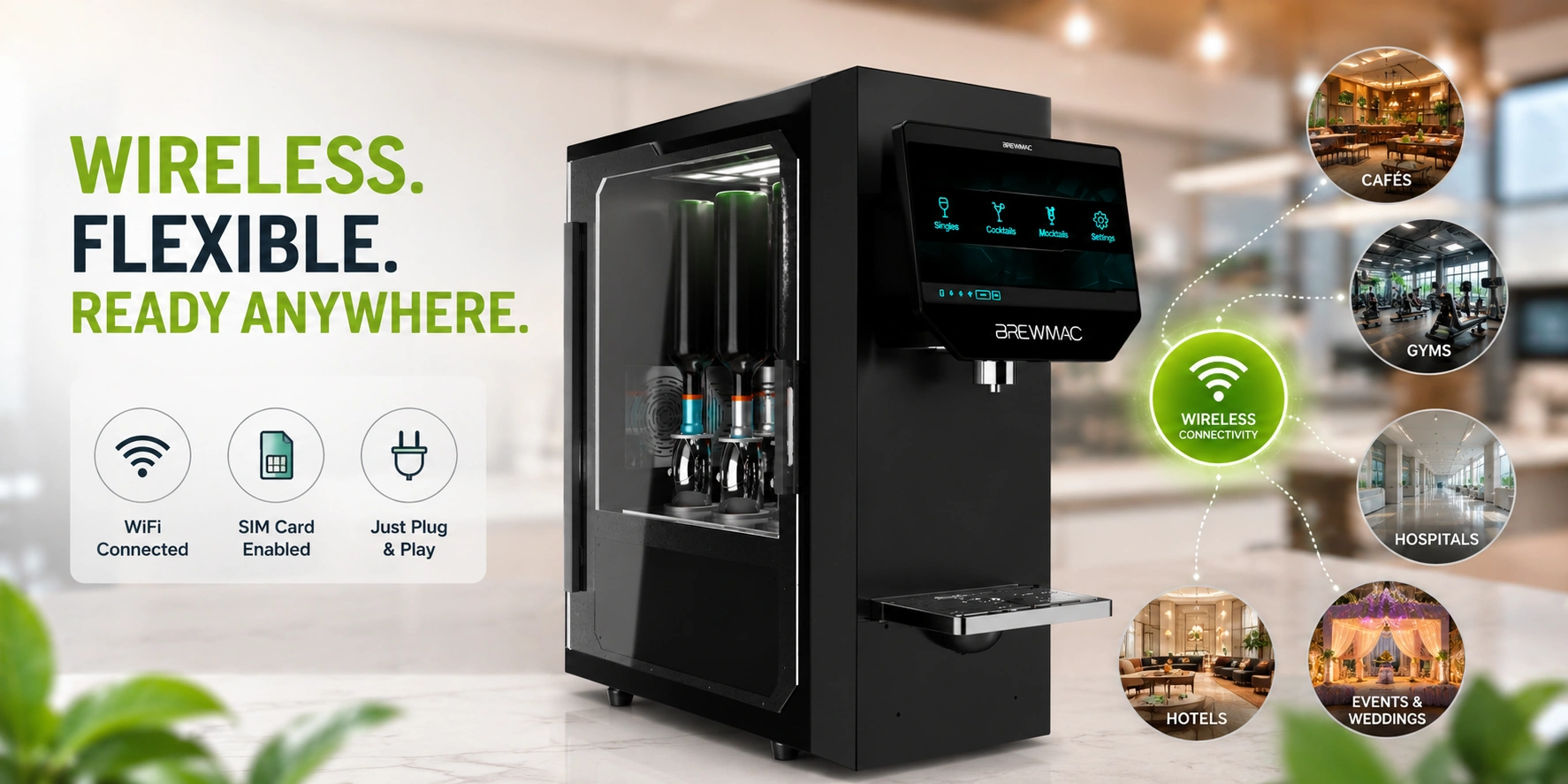
A machine that needs a plumber before it can serve its first drink is not a flexible business asset. A wireless mocktail machine needs a power socket and a WiFi signal — and it is operational in minutes.
A wireless cocktail vending machine is a mocktail dispenser that connects to the internet via WiFi or a mobile SIM card — requiring no fixed data cable, no plumbing, and no permanent installation infrastructure beyond a standard power socket. For venue operators across India, wireless connectivity is the feature that transforms a mocktail machine from a fixed counter installation into a flexible, repositionable revenue asset.
Whether you are placing a machine in a café, a gym, a hospital corridor, a hotel lobby, or deploying it at a wedding — wireless connectivity determines where you can put it, how quickly you can set it up, and how easily you can move it when footfall patterns change. This guide covers everything operators need to know about wireless mocktail vending machine connectivity and placement.
What Is a Wireless Mocktail Vending Machine?
A wireless mocktail vending machine connects to the internet — for cloud management, transaction logging, stock monitoring, and remote operation — without a fixed ethernet cable or hardwired data connection. Connectivity is delivered via WiFi (connecting to the venue’s existing wireless network) or a built-in mobile SIM card (connecting via 4G/5G cellular data independently of any venue infrastructure).
In the RollingFizz system, every commercial model — the Pro, Trolley, and Grand — operates wirelessly. The machine requires one standard power outlet and a WiFi or SIM connection. That is the full installation requirement. No data cabling. No fixed bar infrastructure. No plumber. No specialist technician for the connectivity setup.
Wired vs Wireless Mocktail Machine: What Changes Operationally
The difference between a wired and wireless machine is not just technical — it is operational and commercial. Here is the full comparison:
| Placement Factor | Wired / Fixed Machine | Wireless Mocktail Machine (RollingFizz) |
| Installation requirement | Fixed plumbing or power outlet — permanent location | Power socket only — no plumbing, no fixed data line |
| Placement flexibility | Counter or wall-mounted — cannot be relocated easily | Any space with a power socket — repositionable |
| Venue suitability | Permanent bar or café counter setups | Gyms, offices, hospitals, malls, pop-up stalls, events |
| Event deployment | Not suitable — fixed installation | Fully portable (Trolley model) — no installation |
| Multi-location scaling | High setup cost per new location | Low — power socket and WiFi connection only |
| Revenue optimisation | Fixed position — cannot follow footfall | Repositionable — move to highest-yield location |
| Connectivity method | Ethernet / LAN cable — fixed data connection | WiFi or SIM — cloud-managed from anywhere |
| Setup time | Hours to days — infrastructure work required | Minutes — plug in, connect to WiFi, operational |
| PLACEMENT IS REVENUE A machine positioned at the wrong point in a venue — too far from footfall, behind a counter, out of sightline — generates a fraction of the revenue of an identically specified machine placed correctly. Wireless connectivity makes repositioning possible without infrastructure cost. This is not a minor feature — it is the commercial flexibility that makes a mocktail machine a manageable investment rather than a fixed commitment. |
WiFi vs SIM: Which Wireless Connectivity Is Right for Your Venue?
Wireless connectivity on a RollingFizz machine comes in two forms — WiFi and SIM. Understanding when to use each is important for placement reliability and cloud management continuity.
WiFi connectivity
WiFi connects the machine to the venue’s existing wireless network. It is the standard connectivity method for permanent installations in cafés, restaurants, hotels, gyms, hospitals, offices, and malls where a reliable WiFi signal is already in place at the intended placement point.
Before finalising a WiFi installation, the operator should confirm signal strength at the exact placement point — not just in the general area. Dead zones, thick walls, and competing device density can reduce signal quality even in well-connected venues.
SIM connectivity (4G/5G)
SIM connectivity uses a mobile data SIM built into the machine — connecting via the cellular network independently of any venue WiFi. SIM connectivity is the recommended choice for events and temporary deployments (where venue WiFi is unavailable or unreliable), outdoor or street-facing positions, airport or transit environments (where venue WiFi is often throttled or restricted), and as a backup to WiFi for permanent installations where connectivity continuity is critical.
RollingFizz recommends a SIM backup for every permanent commercial installation — so that cloud management, transaction logging, and stock monitoring continue uninterrupted even if the venue’s WiFi experiences an outage.
Dual-mode operation
The RollingFizz Pro, Trolley, and Grand models support dual-mode connectivity — WiFi primary, SIM backup. The machine switches automatically to SIM if the WiFi connection drops, ensuring continuous cloud management with no operator intervention required.
Placement Strategy — Where to Position a Wireless Mocktail Machine
Wireless connectivity enables placement flexibility — but placement strategy determines revenue. The machine should be positioned at the highest-yield point in the venue, not the most convenient point for installation.
The question is not ‘where can the machine go?’ — wireless means it can go almost anywhere with a power socket. The question is ‘where will it generate the most revenue?’ That is a footfall and visibility question, not an infrastructure question.
Here is the optimal placement and connectivity guidance for every major venue type:
| Venue | Optimal Placement | Connectivity Note | Model |
| Café / restaurant | Counter near till or in waiting area — impulse purchase zone | Near existing WiFi router — strong signal priority | Pro |
| Hotel lobby | Near reception or guest lounge — 24/7 visibility | Hotel WiFi infrastructure — confirm signal at placement point | Pro / Grand |
| Gym / fitness centre | Exit area or near reception — post-workout purchase point | Gym WiFi or dedicated SIM — confirm no signal dead zone | Classic / Pro |
| Mall / multiplex | High-footfall corridor or food court zone | Mall WiFi or SIM backup — SIM recommended for reliability | Grand |
| Corporate office | Cafeteria or breakout area — employee traffic zone | Office WiFi — confirm IT clearance for new device | Pro |
| Hospital | Family waiting area or staff refreshment zone | Hospital WiFi — confirm IT/admin approval before installation | Pro |
| Event / wedding | Central guest area — visible from seating zones | SIM connectivity — no reliance on venue WiFi at events | Trolley / Grand |
| Airport / transit | Departures lounge or transit corridor | SIM primary — airport WiFi is often throttled | Grand |
| Beverage stall | Street-facing or market position — maximum visibility | SIM connectivity — no fixed venue WiFi available | Classic / Pro |
The RollingFizz Trolley: The Fully Portable Wireless Mocktail Machine
The RollingFizz Trolley model is the fully portable configuration — designed specifically for venues and deployments where zero fixed installation is the requirement. Weddings, corporate events, college fests, outdoor markets, and temporary venue setups all benefit from a machine that arrives, connects, serves, and leaves without any permanent infrastructure.
- No fixed installation — The Trolley requires only a standard power outlet. No wall mount, no counter cutout, no plumbing.
- SIM-primary connectivity — Operates via mobile SIM — no reliance on venue WiFi. Fully operational in any location with 4G/5G signal.
- Same cloud management — All cloud features — stock monitoring, revenue tracking, automatic alerts — operate identically to permanent installations.
- Event-ready throughput — Mid-volume throughput suitable for events up to 300–400 guests. The Grand model is available for larger deployments.
- Transport and setup — The RollingFizz event team handles delivery, setup, and collection. The operator does not manage logistics.
Wireless Installation Checklist: What to Confirm Before Your Machine Goes Live
Before any RollingFizz wireless installation is activated, the following should be confirmed at the exact placement point — not at the venue entrance or in the manager’s office:
- WiFi signal strength at placement point — Test at the machine’s intended position. Confirm signal is strong and stable under normal venue operating conditions.
- SIM signal coverage — Confirm 4G/5G coverage at the placement point from the machine’s SIM provider network.
- Power outlet availability — A standard 5-amp power outlet within cable reach of the placement point. Confirm the outlet is on a circuit that remains active during trading hours.
- IT clearance for WiFi (corporate / hospital venues) — Some corporate offices and hospitals require IT department approval before connecting a new device to the network. Confirm this before installation day.
- Physical placement dimensions — Confirm the machine footprint fits the intended position with adequate guest access from the front and service access from the side for restocking.
- Guest sightline — The machine should be visible from the main guest traffic path — not tucked behind a counter or obscured by shelving.
Frequently Asked Questions
What is a wireless cocktail vending machine?
A wireless cocktail vending machine — or wireless mocktail machine in RollingFizz’s zero-proof context — is an automated beverage dispenser that connects to the internet via WiFi or mobile SIM card, with no fixed data cable or plumbing infrastructure required. It needs only a standard power outlet to operate — making it repositionable and deployable across a wide range of venue types and event settings.
Does a wireless mocktail machine need a fixed internet connection?
No fixed cable connection is required. RollingFizz machines connect via WiFi or mobile SIM. For permanent venue installations, WiFi is the standard connection method. For events, outdoor deployments, and venues without reliable WiFi, SIM connectivity provides cloud management independently of any venue network. Dual-mode WiFi plus SIM is recommended for all permanent commercial installations.
How long does it take to install a wireless mocktail machine?
For a permanent wireless installation — connecting to the venue’s existing WiFi and a standard power outlet — the RollingFizz team completes installation and commissioning in under two hours. For event deployments using the Trolley model, setup time is approximately 30 to 45 minutes including cloud connectivity verification and test pours.
Can a wireless mocktail machine be moved after installation?
Yes — this is one of the primary commercial advantages of wireless connectivity. A RollingFizz machine can be repositioned within the venue or relocated to a different venue entirely without requiring any infrastructure work beyond finding a new power outlet and confirming WiFi or SIM signal at the new position. The cloud management system recognises the machine by its unique ID regardless of physical location.
For the full breakdown of how WiFi, SIM, IoT, and cloud connectivity types compare across the RollingFizz range — see the Bluetooth vs IoT vs cloud mocktail machine guide. For a deeper explanation of what the IoT cloud system monitors in real time, see the IoT mocktail machine guide.
See wireless deployment in action.
Book a free RollingFizz demo and see how a wireless mocktail machine installs, connects, and serves — from power-on to first pour. The RollingFizz team will also advise on optimal placement for your specific venue based on footfall data and layout.

Leave a Reply
You must be logged in to post a comment.